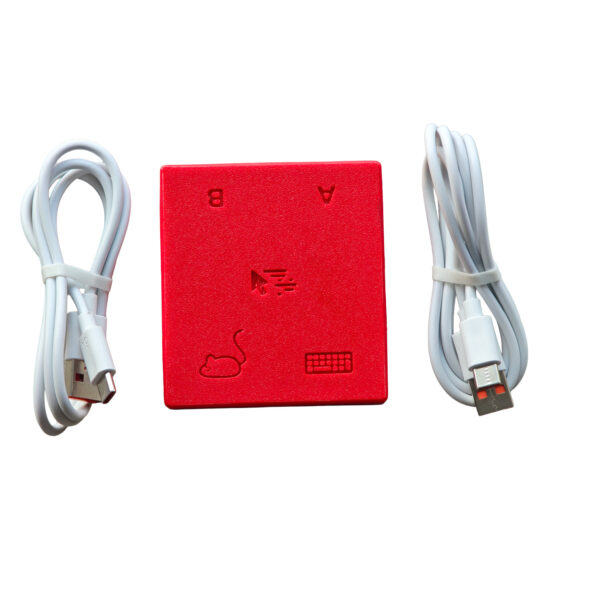
Natural screen crossing
Move the mouse through a screen edge to change output. The pointer continues naturally on the second computer.
Move your mouse beyond the edge of one screen. Your keyboard and mouse arrive at the other computer instantly; no button hunting and no background software.
NOT SWITCHING DEVICES. CONTINUING MOVEMENT.
HopKVM remains connected to both computers. When the pointer reaches the edge of one screen, it appears at the same height on the other, and keyboard input follows.
REBUILT FOR A TWO-COMPUTER WORKFLOW
Move the mouse through a screen edge to change output. The pointer continues naturally on the second computer.
Use preset hotkeys whenever you want an explicit, immediate way to switch between computers.
Input routing happens in hardware, without network dependency or a process running on your computer.
The two host outputs remain electrically isolated. HopKVM focuses on precise input forwarding.
HOPKVM HARDWARE
ONE DESK, MANY SYSTEMS
BEFORE YOU ORDER
Anything else? Get in touch — we reply within two business days.
No. HopKVM routes keyboard and mouse input only. Each computer keeps its own display, or you can share one monitor with two inputs and switch its source. Routing only input is what makes switching instant and driver-free.
No. Both computers see a standard USB keyboard and mouse. There is no driver, no background service, and no network connection between the two machines.
Windows, macOS and Linux, in any combination. Because switching happens in hardware, it also works on BIOS screens, full-disk-encryption prompts and login screens.
Two ways: slide the mouse pointer past the edge of one screen and it continues on the other computer, or press a preset hotkey for an explicit, immediate switch.
Yes. The firmware is open source and user-updatable over USB. Source code, prebuilt releases and documentation are on GitHub.
No. HopKVM is an independent store. Our devices are built from the open-source DeskHop design by Hrvoje Cavrak, released under GPL-3.0 — a license that explicitly allows anyone to build and sell the hardware. Full source and attribution are on GitHub.
Prefer a USB-A connection for each host. On computers that only have USB-C ports (recent Mac mini, MacBook Air/Pro), use a USB-C-to-A adapter together with an A-to-C cable. A direct C-to-C cable may not power the device, because the board's USB-C port does not implement the full USB-C power negotiation — a known trait of the open design that does not affect performance.
You can return the device within 30 days of delivery, and every unit is covered by a 12-month warranty against manufacturing defects. See Shipping & Returns.
NOTHING HIDDEN
HopKVM is built on DeskHop, an open-source hardware project by Hrvoje Cavrak, released under GPL-3.0. Everything that runs on the device — and everything needed to make one — is published in the open. HopKVM is an independent store, not affiliated with the original author; buying here supports open hardware without restricting any of your rights.
Complete source code, prebuilt releases and update tooling.
Schematics, PCB layout and 3D-printable case files.
Issues, discussions and contributions all happen in the open.
Explore your HopKVM setup, add products to the cart, and make switching the part of work you never have to think about.
Explore the store →